This LPH Customized CRM tutorial and all the other tutorials are a part of LPH's commitment to make our customers as productive as possible and promote the ease of using LPH Customized CRM and reduce the amount of effort required.
To Schedule a Meeting or Phone Call
Go on either the Account or Contact you wish to schedule a meeting or call
Navigate to Activities & Click
on Schedule Meeting

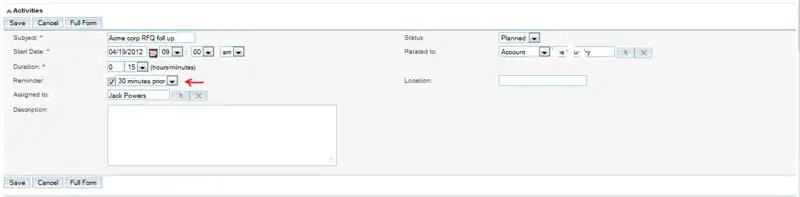
A menu will pop up. Fill in
the subject line â€" suggestion: company name and or info so you
will recognize the activity in the calendar list. Make sure the reminder option
is enabled (see
red arrow)
Caution: You must
use schedule a meeting to have a pop up reminder.
Using
the tasks
function doesn't provide a reminder or show up on the calendar .
Click on Save.
A listing of the scheduled Meeting/Call is now listed. If you were not available
when the meeting
was scheduled you can click on Edit (circled in red) and change the date/time.

When your scheduled
Meeting/Call time is reached a pop-up will display over the active page in LPH
SuuiteCRM.
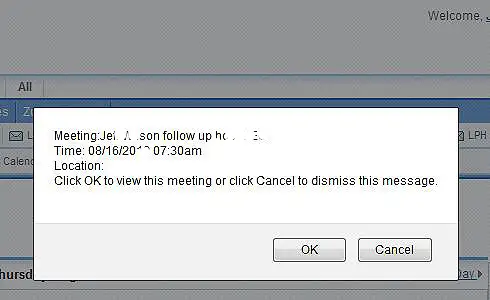
You will be given the option to proceed to the event (Click OK) or cancel the
event. See below.