This LPH Customized CRM tutorial and all the other tutorials are a part of LPH's commitment to make our customers as productive as possible and promote the ease of using LPH Customized CRM and reduce the amount of effort required.
Quick Start Guide for LPH Salespersons using SuiteCRM
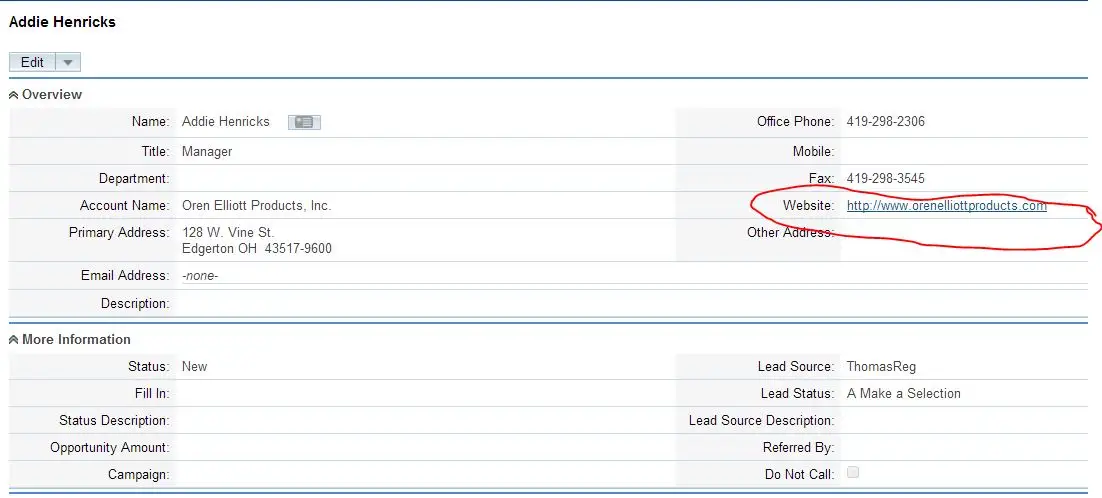
To keep the focus on selling we suggest that you only use the basic SuiteCRM functions to start with. After logging on to SuiteCRM: 1. Click on Sales/Leads. A list of leads will display. Click on the Lead you wish to open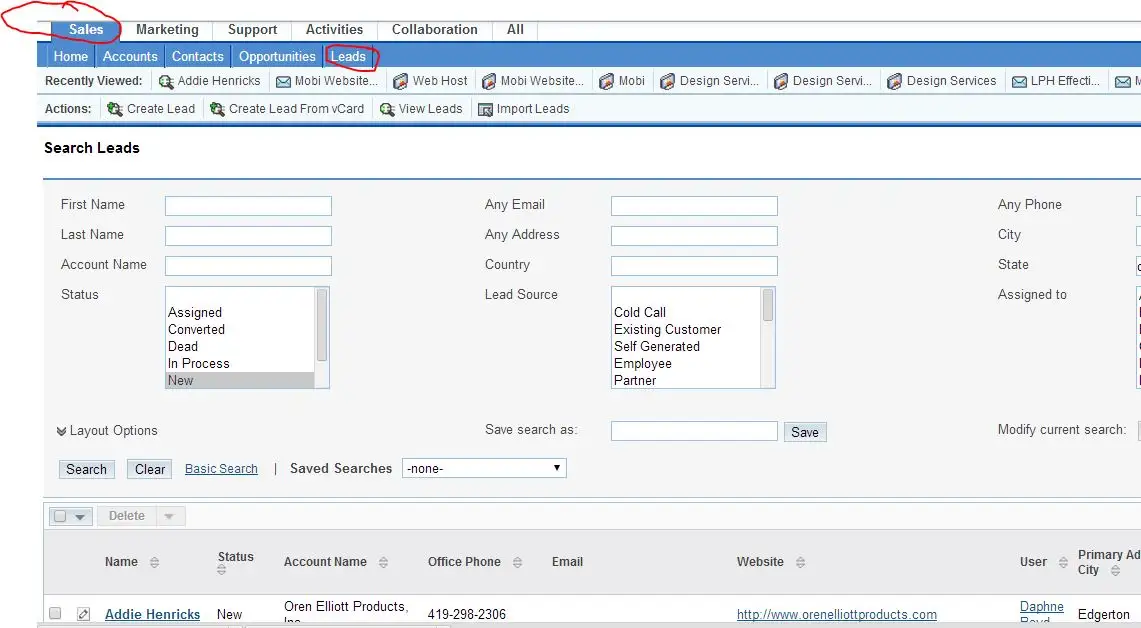 2. To See the customer's website click on
the website address (circled in red) and the website will display in a new
browser tab.
2. To See the customer's website click on
the website address (circled in red) and the website will display in a new
browser tab.
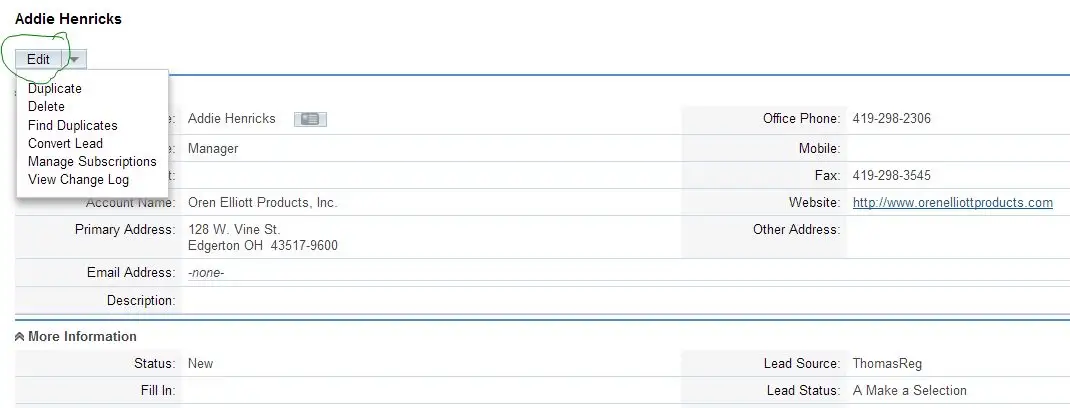
 3 After interacting with the customer; if
there is interest click on edit and add the email address and save the file.
3 After interacting with the customer; if
there is interest click on edit and add the email address and save the file.
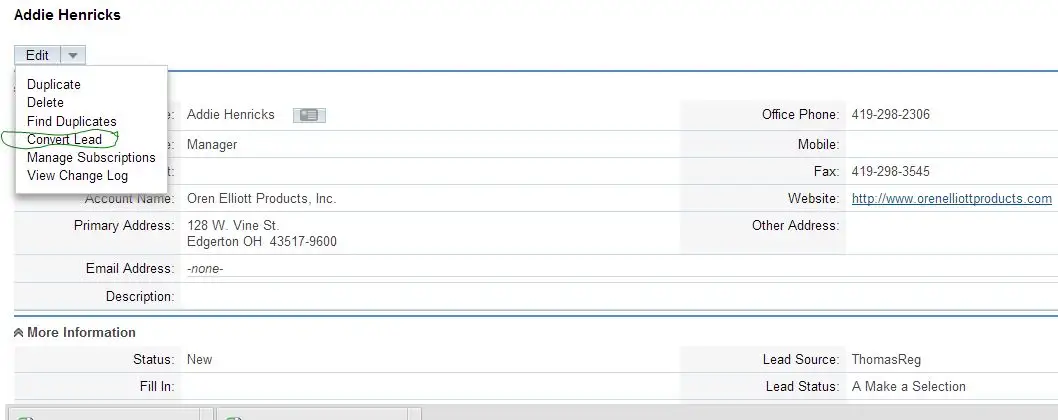
4. Convert the Lead. click on tab circled in green. Clicking on the Convert tabs will bring up modules within the page; automatically creating an Account and a contact. You will at that time be able to schedule a follow up meeting (sales telephone call) and enter a note to give you important cues for your follow up.
 We suggest that you limit yourself to doing
the above initially so the focus is on the selling. When you have customers that
need an email communication we will set up an online meeting to review and
assist that process.
We suggest that you limit yourself to doing
the above initially so the focus is on the selling. When you have customers that
need an email communication we will set up an online meeting to review and
assist that process.
