This LPH Customized CRM tutorial and all the other tutorials are a part of LPH's commitment to make our customers as productive as possible and promote the ease of using LPH Customized CRM and reduce the amount of effort required.
Searching the SuiteCRM database
To search the SuiteCRM database click on Leads, Contacts or Accounts. Click on advanced search.
The menu
below will display.
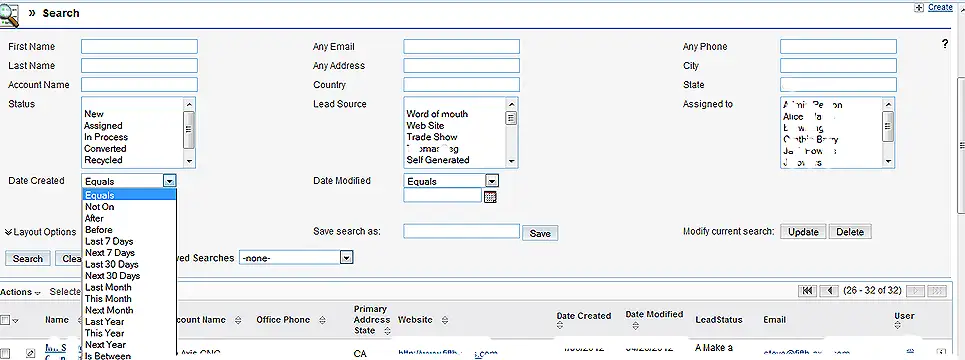
You can search entering information in one or more fields. For instance if you want to search for a Leads created in the last 30 days from California fill in CA in the State field and select "Last 30 Days" from the Date created dropdown.
You have the option of saving searches for reuse later.
Click on Search and all the Leads, Contacts or Accounts that meet your criteria will be displayed in a list.
