This LPH Customized CRM tutorial and all the other tutorials are a part of LPH's commitment to make our customers as productive as possible and promote the ease of using LPH Customized CRM and reduce the amount of effort required.
Creating an Opportunity in SuiteCRM
Browse to Opportunities on an
Account or Contact
Click on Create

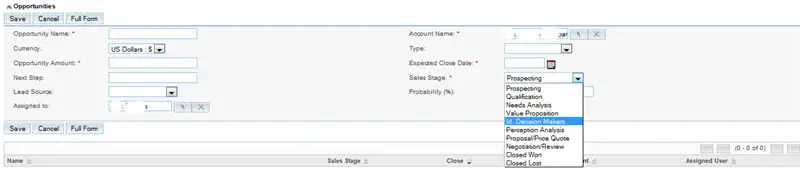
A menu will pop up. Fill in the Opportunity Name. Suggestion: use Company Name and
additional info to easily identify what the opportunity is. Account name will be automatically
filled in. Fill in the Opportunity Amount. Select the date you expect to close
the business.
Select the probability of closing the business. Fill in next step � there is always a next step
until you close the business.
The Opportunity will now display on your Contact and Account pages. It will also be listed
in the opportunity list. (see below) Opportunities should be updated as conditions change.
Update the opportunity to reflect changes in probability percentage, close date, amount.
click on Edit and make the appropriate changes.

