Efficient process
for calling a series of leads using LPH CRM
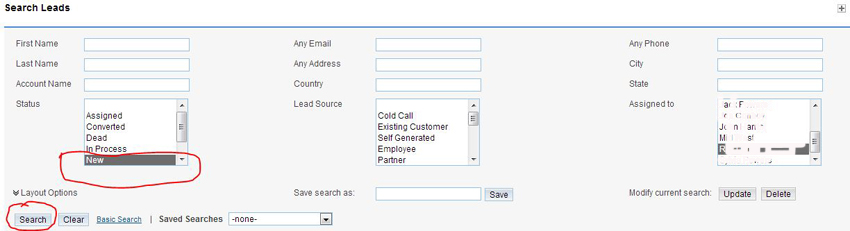
Step 1.Click on the
Leads tab
Step 2. Select the criteria you wish to search on (in this case new) Can
have multiple criterion (new + state for example)
Step 3.Click on Search
A list of all the leads that meet the search criteria will display.
(in this case new) - only your leads will display
Step 4. Click on the first Lead.
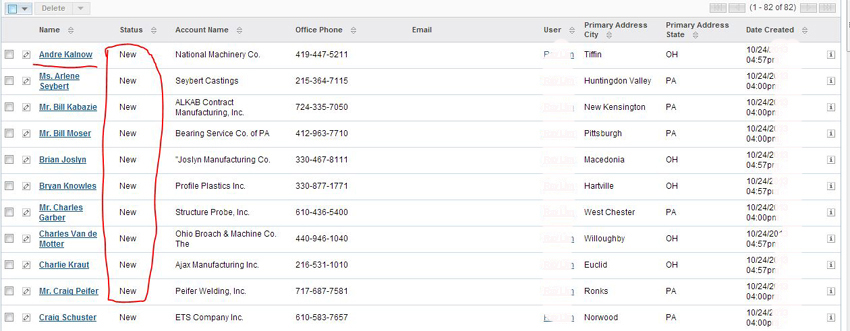
The screen below will display.
Step 5. Edit the Lead information. e.g. add email address, title , change
Lead status etc.
Step 6. Click save.
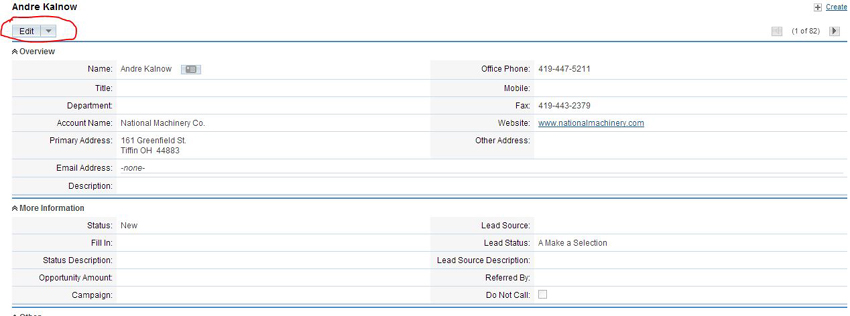
The screen below will display.
Step 7. Schedule a meeting - for a follow up phone call. Add Opportunity -
if warranted. Create a note.
Step 8. When finished click on the right arrow (circled in red) to go to the
next Lead.
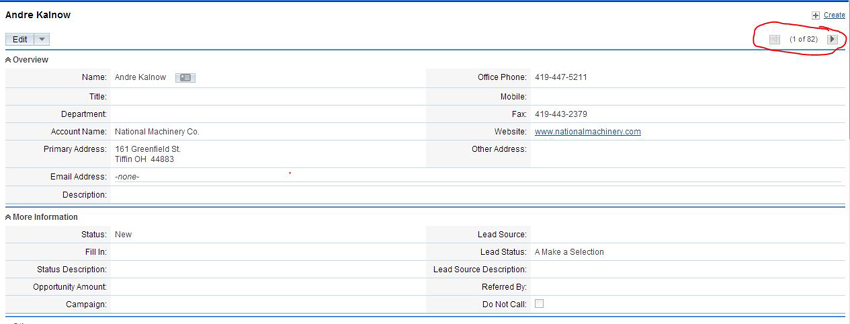
Do the previous steps in sequence until all the Leads in the list have
been called.
Do a new search of Leads with different criteria to create a new list.